
SimCity BuildIt
ELECTRONIC ARTSSimulation
4.1190.45K Reviews
- Version
- 1.81.1.14873346
- Installs
- 100.00M
- Age Rating
- Everyone 10+
Screenshots
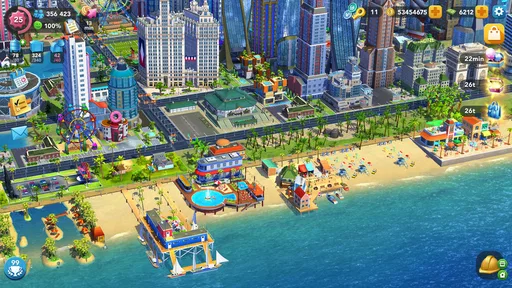
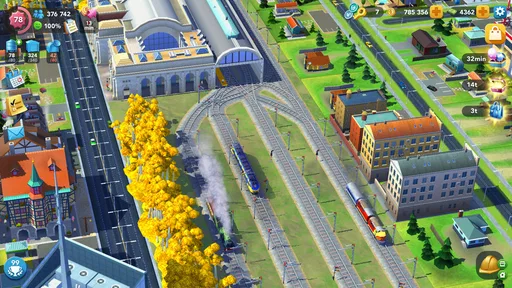

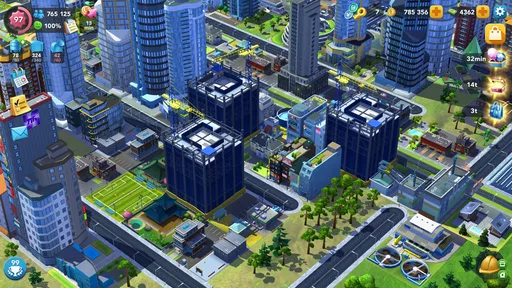
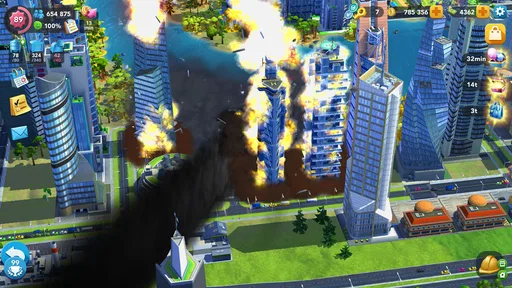
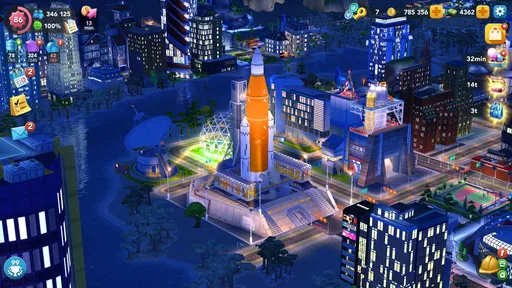
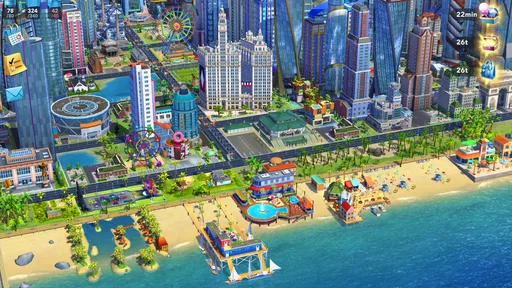
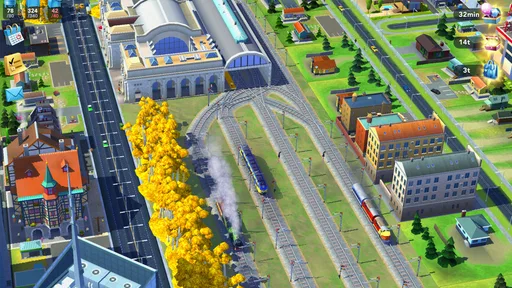
Our Review of SimCity BuildIt
 Analysis by Appyee
I usually judge a city builder by what happens after the first burst of decorating: does it give me reasons to plan, or does it become a pile of timers? SimCity BuildIt has enough layout choices and resource juggling to make a growing town feel like a project I can return to in short sessions. It is a free simulation game from ELECTRONIC ARTS, rated for Everyone 10+, and its appeal is strongest when you enjoy steady progress more than instant results.
First Impressions
From the moment you fire up the game, you’re greeted with vibrant graphics and a user-friendly interface. It drops you right into the action, allowing you to start crafting your cityscape almost immediately. I love how intuitive it feels. You don't need a manual to figure out how to place roads or build structures. Just tap, drag, and boom—your city begins to take shape.
A Routine That Makes Progress Feel Manageable
Building is where the magic happens. You start small, with just a few residential zones, but soon you’re adding factories, parks, and even skyscrapers. The variety of buildings ensures you won’t get bored. I found myself constantly tweaking and rearranging to optimize space and keep my citizens happy.
What’s really engaging is the city planning aspect. You have to think strategically about where to place each building. Residential areas need to be near essential services like fire stations and police departments, while factories should be kept away to avoid pollution. It’s all about balance!
My most useful habit is to decide what I want to accomplish before collecting or spending materials. If I am aiming to upgrade a particular residence, I check its requested items first, then use factory and production time with that goal in mind. It is easy to fill storage with things that seem useful in the moment but do not help with the next upgrade. A little planning keeps the city moving and makes brief visits feel productive.
This rhythm also suits everyday interruptions. I can check what is ready, start another batch of goods, make one targeted change to the layout, and leave the longer production steps running until I return. It is a better fit for small pockets of free time than for someone expecting a complete city transformation in one sitting.
Resources, Storage, and the Cost of Acting Quickly
Ah, resources—the lifeblood of your city. You’ll find yourself managing everything from electricity to sewage. The game does a fantastic job of integrating these elements without overwhelming you. I appreciated the clear indicators that help you understand what your city needs at a glance.
To progress, you’ll need to collect materials produced by your factories and turn them into items that can be used to upgrade buildings. It’s a satisfying loop that kept me coming back for more. The way the game nudges you to plan ahead is quite clever, and honestly, a bit addictive.
One trade-off is that a full inventory can turn an otherwise simple task into a choice about what to keep. I try to reserve room for items tied to current building requests rather than making every possible product in advance. When I have a spare moment, I can use it to start goods that take longer; when I am about to stop playing, I prefer shorter jobs I can collect on my next visit. This is not a shortcut to instant growth, but it reduces wasted taps and avoidable bottlenecks.
Services and housing also ask you to think beyond appearance. A new residential cluster may look tidy, but placing it without considering nearby needs can create problems that are more expensive to correct later. I have learned to treat each expansion as a small neighborhood plan: leave room to adjust, check what the citizens need, and avoid building simply because an empty patch looks tempting.
Checking Settings and Choosing a Pace
Before settling into longer sessions, I recommend checking the game’s available settings and notification choices on your device. Decide whether reminders suit your routine or whether you would rather open the game on your own schedule. Production timers can make alerts convenient, but frequent prompts may make a relaxing city feel like a chore. I prefer to keep the game in its place: a quick check when I want one, not an obligation to respond every time something finishes.
The other useful choice is personal rather than technical: set a modest goal for a visit. It might be making room for one upgrade, improving a service arrangement, or starting a useful production chain. Without a goal, the number of possible tasks can pull attention in several directions. With one, the familiar loop feels more deliberate and I am less likely to spend scarce resources just to make the city look busy.
The game is free to download, with in-app purchases ranging from $0.99 to $99.99 per item. Those purchases can make waiting or progression feel less restrictive, but I would not treat them as necessary to enjoy the core planning. The main caution is expectation: if you dislike timers or feel pressured to pay whenever progress slows, the free-to-play structure may irritate you. I would try the regular pace first and spend only if a specific convenience is worth it to me.
Events and Other Players Add a Second Agenda
One thing that keeps the game interesting is the variety of challenges and events it throws your way. These events are a great way to earn extra rewards and shake things up when the routine starts feeling a bit too familiar. Participating in these challenges gives your city a nice boost, which is always a win in my book.
Now, if you’re the competitive type, you’ll love the social features. You can join clubs, trade resources, and even compete in the Mayor’s Contest. It adds a nice layer of community engagement. I’ve had some great interactions trading resources, which helped me level up much faster.
Plus, seeing how other players have designed their cities can be a source of inspiration—or envy, depending on your perspective!
I find the social side most useful when I treat it as a way to solve a particular shortage or get fresh ideas, rather than as a reason to copy another city wholesale. A layout that looks impressive may rely on different priorities from mine. Trade can help with a missing material, but it does not remove the need to plan production and storage; I still check whether an exchange supports my next goal instead of trading just because an offer is available.
Events can also compete with ordinary city building for attention. If I am enjoying a calm planning session, I do not need to chase every challenge. If I want a change of pace, an event gives me a separate objective. That flexibility is welcome, although players who dislike limited-time goals or competitive comparison may find the extra agenda distracting rather than motivating.
Where It Sits Among City Builders
Compared with a more open-ended sandbox city builder, this game gives me clearer tasks and a stronger production cycle. That structure makes it easier to know what to do next, especially on a phone, but it also means progress is shaped by resources and waiting rather than only by my imagination. A slower, more freeform builder may suit someone who wants to design without being steered toward upgrades; this one is better for a player who likes a mix of planning, collection, and goals.
It is also different from a fast strategy game where the main pleasure is reacting to opponents. Here, I spend more attention on arranging services, turning materials into useful goods, and choosing which part of town to improve. The competitive features are present, but they do not erase the patient city-management core. If I want a quick match with a decisive finish, I would choose another kind of game. If I want a town I can revisit and gradually refine, this is a more natural fit.
That distinction helps set expectations for newcomers. The appeal is not simply placing attractive buildings; it is deciding what to produce, what to postpone, and how much space to preserve for future needs. The city can feel satisfying even when a session ends with a production job still underway. For me, that is a strength when I want a low-pressure routine, and a weakness when I want immediate control over every result.
Spending, Patience, and Long-Term Limits
Let’s talk money. The game is free to play, but like many mobile games, it offers in-app purchases. You can buy SimCash to speed up processes or get exclusive buildings. I found that you can still enjoy the game without spending, but if you’re impatient or want that extra edge, it might be tempting to make a purchase.
My advice is to avoid buying in response to a temporary shortage or a timer that happens to be annoying that day. First ask whether the item is actually blocking the plan you care about, or whether you can produce it, trade for it, or work on another part of town while you wait. That pause makes purchases feel like a considered convenience instead of the default solution. Players who want every upgrade immediately may find this restraint frustrating; patient planners are more likely to enjoy the gradual pace.
There are limits to how much careful play can smooth out. The game still asks for repeated collection and production, and the rhythm can become repetitive if you want constant new decisions. Rearranging buildings can also involve trade-offs: improving one area may mean reconsidering nearby services or using space you hoped to save. I like that planning has consequences, but a player who wants effortless decoration may prefer a simpler builder with fewer management demands.
The current version is 1.74.2.150717, and the game requires Android 7.0 or later. It has been available since December 15, 2014, and its long-running audience is reflected in an average rating of 4.2 from around 5.6 million ratings, with over 100 million installs. Those figures suggest broad appeal, but they do not change the practical question: do you enjoy a game that asks you to return, collect, and plan at a measured pace?
Who Will Enjoy It—and Who May Not
I would recommend it to someone who likes seeing a settlement take shape over time, enjoys optimizing a small space, and is happy to check in for a few focused tasks. It works particularly well if you like having a clear next step but still want choices about where to expand and how to arrange neighborhoods. The city’s changing needs give a casual player something manageable to do, while material planning and trading add extra decisions for someone who wants to be more deliberate.
I would be less likely to recommend it to a player who dislikes timers, repeated resource collection, or the possibility that an upgrade depends on several items. It is also not ideal if the main goal is unrestricted architectural creativity with no service or production concerns. For that, a sandbox-focused alternative is likely a better match. The age rating is Everyone 10+, so I would also keep that in mind when choosing a game for a younger player.
A realistic routine might be to open the city during a lunch break, check which buildings need attention, start the goods most likely to help with one planned upgrade, and then leave the longer tasks to finish. Later, I can collect what is ready and decide whether the next visit should focus on expansion or fixing a service gap. That small loop is more satisfying than trying to do everything at once, and it makes the game easy to fit around a busy day.
My Verdict on Building for the Long Run
Overall, the game delivers a rich and engaging city-building experience. It’s one of those games that’s easy to pick up but hard to put down. Whether you're a casual player or a hardcore strategist, there’s something here for everyone.
The graphics are stunning, the gameplay is smooth, and there's always something to do. It’s a great way to unwind and unleash your inner city planner. So, if you're ready to build the city of your dreams, SimCity BuildIt is definitely worth checking out!
My final recommendation comes with one simple condition: enjoy the process, not just the finished skyline. When I plan around what my city needs and accept that some growth takes time, the routine becomes a pleasant little management puzzle. When I want instant building freedom or dislike waiting, I would pick another game instead. For patient players who like turning small decisions into a city that feels increasingly their own, this remains an easy one to return to.
Verdict
Strengths of SimCity BuildIt
- Engaging city-building mechanics.
- High-quality graphics and design.
- Regular updates with new content.
- In-app purchases are non-intrusive.
- Interactive community features.
Limitations of SimCity BuildIt
- Requires constant internet connection.
- Can be slow on older devices.
- Resource management can be tedious.
- Frequent ads may disrupt gameplay.
- Progress can be slow without purchases.
Other Releases by ELECTRONIC ARTS
View All
Plants vs. Zombies™
Strategy3.7

EA SPORTS FC Soccer Mobile 26
Sports4.6

EA SPORTS™ NBA LIVE Mobile
Sports4.1

Need for Speed™ No Limits
Racing4.4
Similar Picks in This Category
View All
Truckers of Europe 3
Wanda Software4.3

Town Building Life Simulator
XGame Global4.2

Fidget Toys Trading・Pop It 3D
Freeplay Inc4.7

Sculpt People
CrazyLabs LTD4.4

Scary Teacher 3D
Z & K Games4.2

Hair Tattoo: Barber Shop Game
CASUAL AZUR GAMES4.3
You May Also Like
View All

Frequently Asked Questions
What are the main objectives in SimCity BuildIt?
In SimCity BuildIt, your main objectives involve designing, building, and managing your own city. Players must balance residential, commercial, and industrial zones while addressing issues like traffic, pollution, and resource management. As the mayor, you aim to keep your citizens happy and ensure the city prospers. Expanding and upgrading your city are key components of gameplay.
Is SimCity BuildIt free to play?
Yes, SimCity BuildIt is free to download and play on both Android and iOS devices. However, the game includes in-app purchases that allow players to buy SimCash and other resources. These purchases can speed up progress, but they are not necessary to enjoy and advance in the game. Players can choose to play entirely for free.
How does the multiplayer aspect work in SimCity BuildIt?
SimCity BuildIt offers a multiplayer feature through the Contest of Mayors and Club Wars. In these events, players can compete against each other for rewards and prestige. The game also allows players to join clubs where they can chat, trade resources, and collaborate on strategies. This social aspect enhances the overall gaming experience.
What are the system requirements for SimCity BuildIt?
SimCity BuildIt requires an active internet connection and is compatible with most modern smartphones and tablets. For Android users, the game generally requires a device running Android 4.1 or higher. iOS users should have a device running iOS 9.0 or later. Ensuring your device meets these requirements will provide the best gaming experience.
Can I play SimCity BuildIt offline?
No, SimCity BuildIt requires an internet connection to play. The game relies on server interactions for saving progress, accessing features like trading and competitions, and receiving updates. A stable connection ensures that you can fully enjoy all aspects of the game and interact with other players.
Play our best games!


